Changelog

Follow new updates and improvements to PolyPlan.

iOS Improvement: Details Screen for Tasks of Integrations
We're excited to announce the latest update to PolyPlan for iOS! Version 12.0.0 introduces enhanced task management capabilities that make your workflow smoother and more intuitive.

Task Details Screen: Access comprehensive information about your integrated tasks with our brand-new dedicated details view. The interface has been thoughtfully designed with a clean, organized layout that puts the information you need front and center.

Quick Action Buttons: Take immediate action with convenient buttons right within the task details. Mark your progress instantly with the check-in button, or jump directly to the task in its source application using the view original button for full context.

This update streamlines your task management experience, giving you better visibility and control over your integrated workflows.

Download PolyPlan 12.0.0 today from the App Store and experience the improved task management capabilities.
Improved

ClickUp integration, Keyboard Shortcuts Enhanced, Habitify integration on iOS

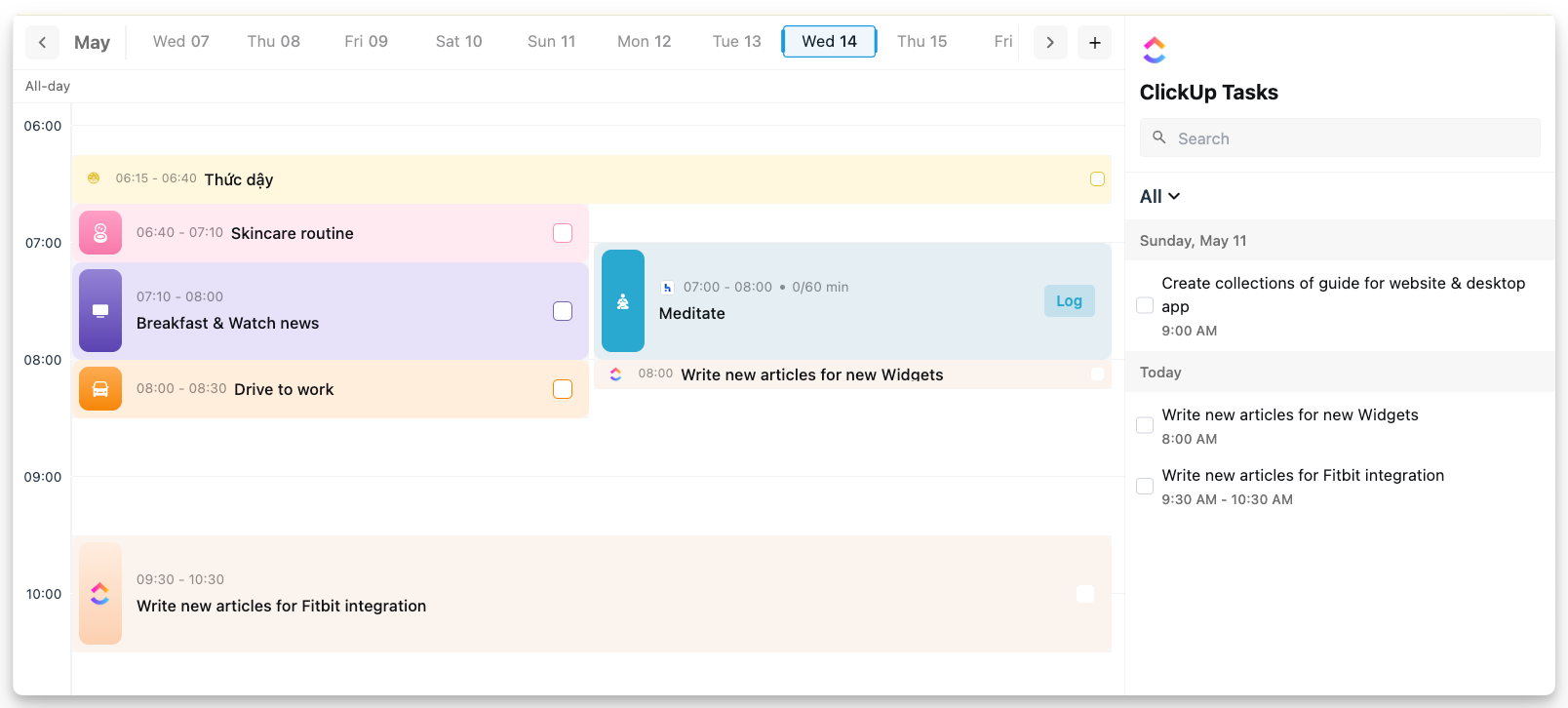
We're thrilled to announce several major updates to PolyPlan that significantly enhance your productivity experience across all platforms. These new features reflect our ongoing commitment to creating a seamless, integrated productivity ecosystem that adapts to your workflow.

ClickUp Integration

We're excited to unveil our new ClickUp integration, now available on both our desktop & iOS app. This powerful addition allows you to:

  • Seamlessly sync tasks from ClickUp directly to PolyPlan

  • Maintain a single source of truth for all your project management needs

  • Automatically update task status across both platforms

  • Organize ClickUp tasks within PolyPlan's intuitive interface

This integration represents a significant step forward in our mission to create a unified productivity environment.

Enhanced Keyboard Shortcuts

We've completely revamped our keyboard shortcut system on the website and desktop app, putting more productivity power at your fingertips.

The enhanced keyboard shortcuts allow you to:

  • Navigate through the application with unprecedented speed

  • Create, edit, and organize tasks without touching your mouse

  • Access advanced features through intuitive key combinations

See our keyboard shortcuts documentation in the Help Center.

Habitify Integration on iOS

Following the successful launch of our Habitify integration on the website and desktop app, we're delighted to announce that this feature is now available on the iOS app as well.

The iOS integration provides the same comprehensive habit tracking capabilities as our desktop version, ensuring consistency across all your devices.

Whether you're at your desk or on the go, your habits remain an integral part of your productivity system.


Update now and experience a more connected, efficient task management workflow!

Access website app: https://use.polyplan.app

Access phone app:

Access desktop app

For any questions, please feel free to share with us at contact@polyplan.app

NewImproved

Trello Integration, Live Activities for synced tasks, and more improvements

We're excited to announce a significant update to PolyPlan that brings powerful new features and improvements to streamline your productivity:

🔗 Trello Integration

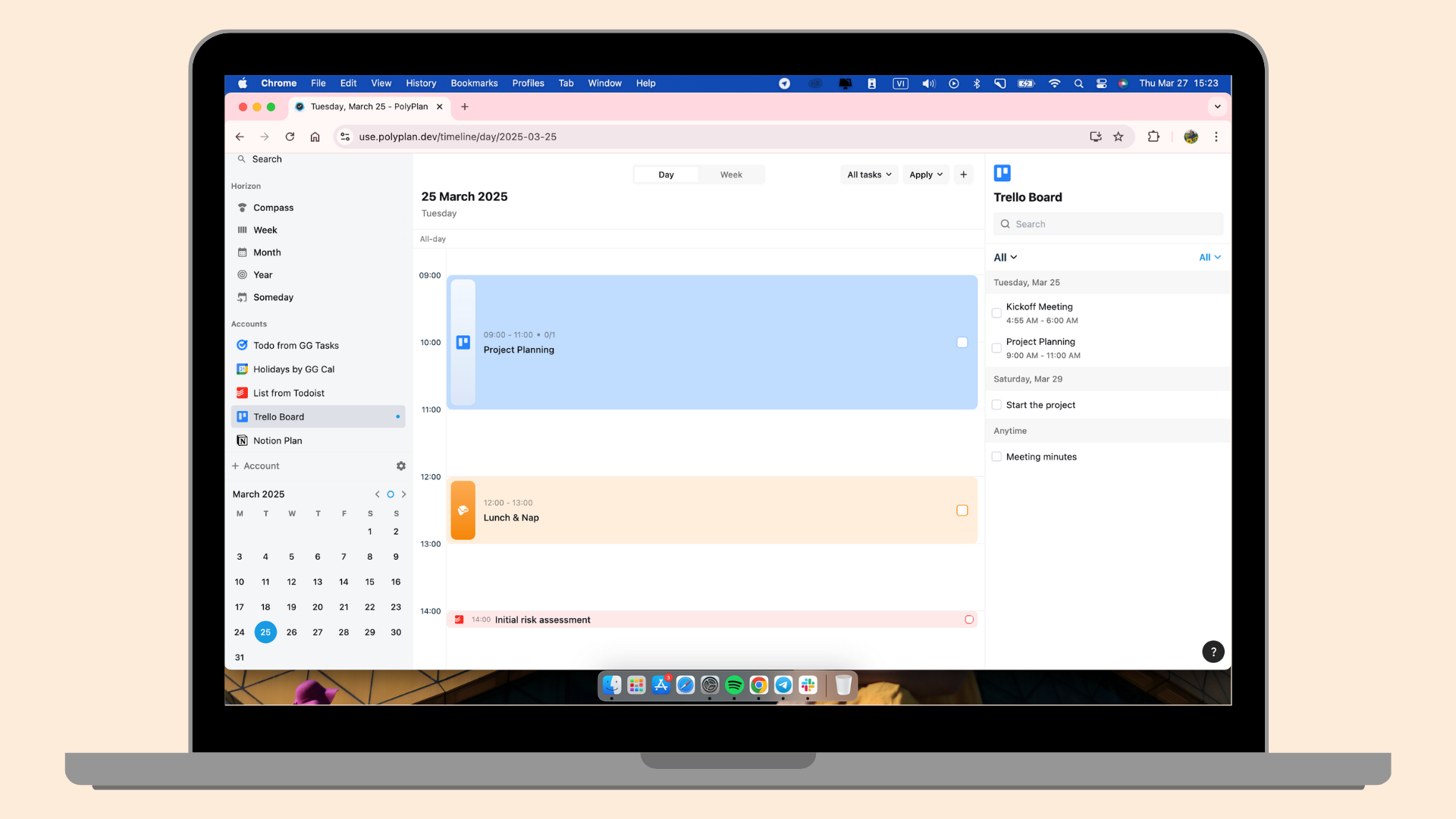
Connect your PolyPlan workspace directly with Trello, enabling seamless task management across platforms. Now you can easily sync your tasks, boards, and workflows between PolyPlan and Trello, giving you more flexibility in how you track and organize your work.

Read the guide to integrate your Trello board to PolyPlan: Trello integration guide

Trello integration is released on Website app and iOS first. It is on the way delivered to Android.

⏳Live Activities for Synced Tasks

We've expanded our Live Activities feature! Previously limited to tasks created within PolyPlan, you can now enjoy Live Activities for tasks imported from integrations. Stay updated on your task progress at a glance, right from your device's home screen.

Limitation: Live activites feature is only working on the task with specific duration (the task must have start time and end time)

🚀 And more improvements ….

Horizon View Enhancements

  • Smoother item selection and dragging

  • More intuitive interactions when managing tasks in multiple views

  • Refined behavior to make task management more fluid and responsive

Todoist Integration Upgrade

  • Two-way sync now fully supports recurring tasks

  • Fixed an issue where completing a synced task from Todoist would inadvertently remove its repetitive task

  • More reliable and consistent task synchronization


Update now and experience a more connected, efficient task management workflow!

Access website app: https://use.polyplan.app

Access phone app:

For any questions, please feel free to share with us at contact@polyplan.app

NewImproved

Earlier updates