PolyPlan - Habitify Integration
Written By Minh Thư
Last updated Over 1 year ago
How it works
The integration between PolyPlan and Habitify will sync your habit as a task in PolyPlan with the following information:
Habit name as task name
Habit icon as task icon
Habit color as task color
Each time-based reminder of the habit will be synced as a task into PolyPlan.
For example, if your habit has 3 reminders at 9:00 AM, 12:00 PM, and 3:00 PM, it will be synced as 3 different tasks, one at 9:00 AM, one at 12:00 PM, and one at 3:00 PM.
Habit goal
Checklist as Sub-tasks
For each synced task, you can access a button to log your progress directly in PolyPlan. The check-in data will be synced back to Habitify.
Steps to integrate
On website app
On the left sidebar, click on + Add…
Hover on Account, find & click on Habitify
Log into your Habitify account, then grant the connection between two apps
Name the integration for later easy management, then click Save to start the integration.

On phone app
This integration is now available on iOS app.
To connect PolyPlan with Habitify and get habits from there:
Open PolyPlan app
Navigate to the bottom menu bar, and tap the Extras tab, then select Integration.
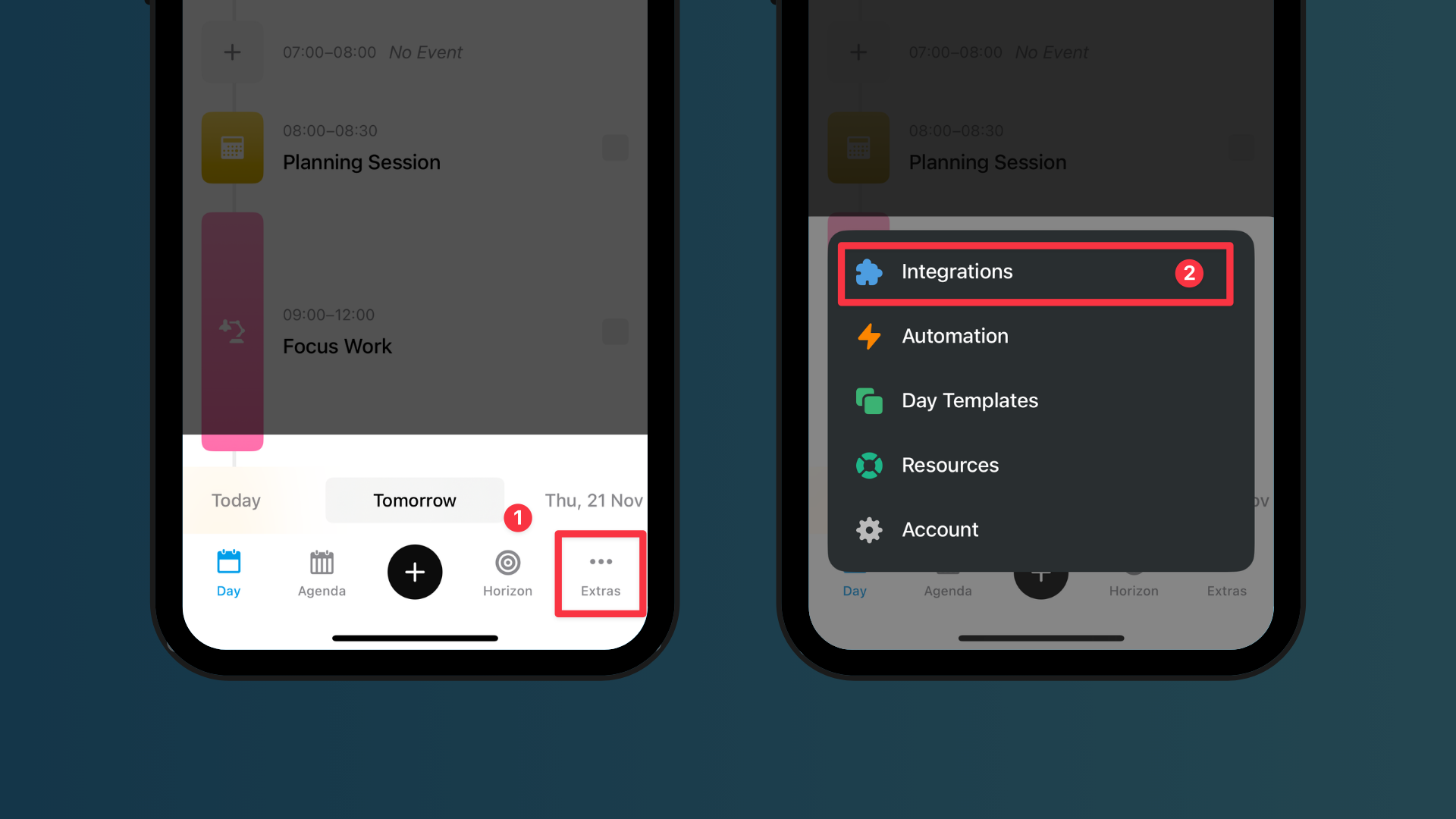
In the All Services category, find Habitify, then tap Connect.
You will navigate to log into your Habitify account and grant access permission
Name your integration for the manage on the left sidebar
Tap on Save.
Check in your tasks
On the website app, to add Progress Logs, you can use the check-in button next to each synced task.
For the task with duration less than 30 minutes, the button cannot be shown, so you can right click and choose Add Log instead.

To mark Skip or Fail, just click right, then choose Mark As and choose between "Mark as Skip” or "Mark as Fail".

On iOS app, when you tap on a task that is synced from Habitify, you can get a screen of details. In this screen, you can:
Adjust the time of the task (note: you can not edit its duration).
Check-in on the checklist of the habit which is synced back to Habitify.
Get buttons to mark the habit as Complete, Skip, or Fail; the status is synced back to Habitify as well.
A button to start a Timer in Habitify if your habit has a duration goal.
A button to conveniently direct to Habitify app.
Limitations
This integration does not sync the bad habits.
Archived habits will not be synced.
If you delete your habits, all of its synced tasks in PolyPlan will be removed.
You cannot move the synced task to another day in PolyPlan, or move it around within the timeline view of the current day.
You can drag to adjust the duration of the synced task. The change is stored locally in PolyPlan.
Default duration is 15 minutes. For the habit with goal in unit "minute” or "hour”, the duration will be equal to the goal.
If your habit does not have time-based reminders, it will be synced as an all-day task and, consequently, appear on the top of the timeline view.
Was this helpful?
Still need help? Share an idea