PolyPlan - Google Tasks Integration
Written By Minh Thư
Last updated Over 1 year ago
How it works
The integration between PolyPlan and Google Tasks will sync the task created from Google Tasks with the following information:
Task title as task name
Start Date as task date, always synced as all-day event
Details as task description

Steps to integrate
On website app
Navigate to the left sidebar, and click on + Add…
Hover on Account and choose the Google Task option
Sign into your Google account and grant the required access permission
Name your integration, then click Done
On phone app
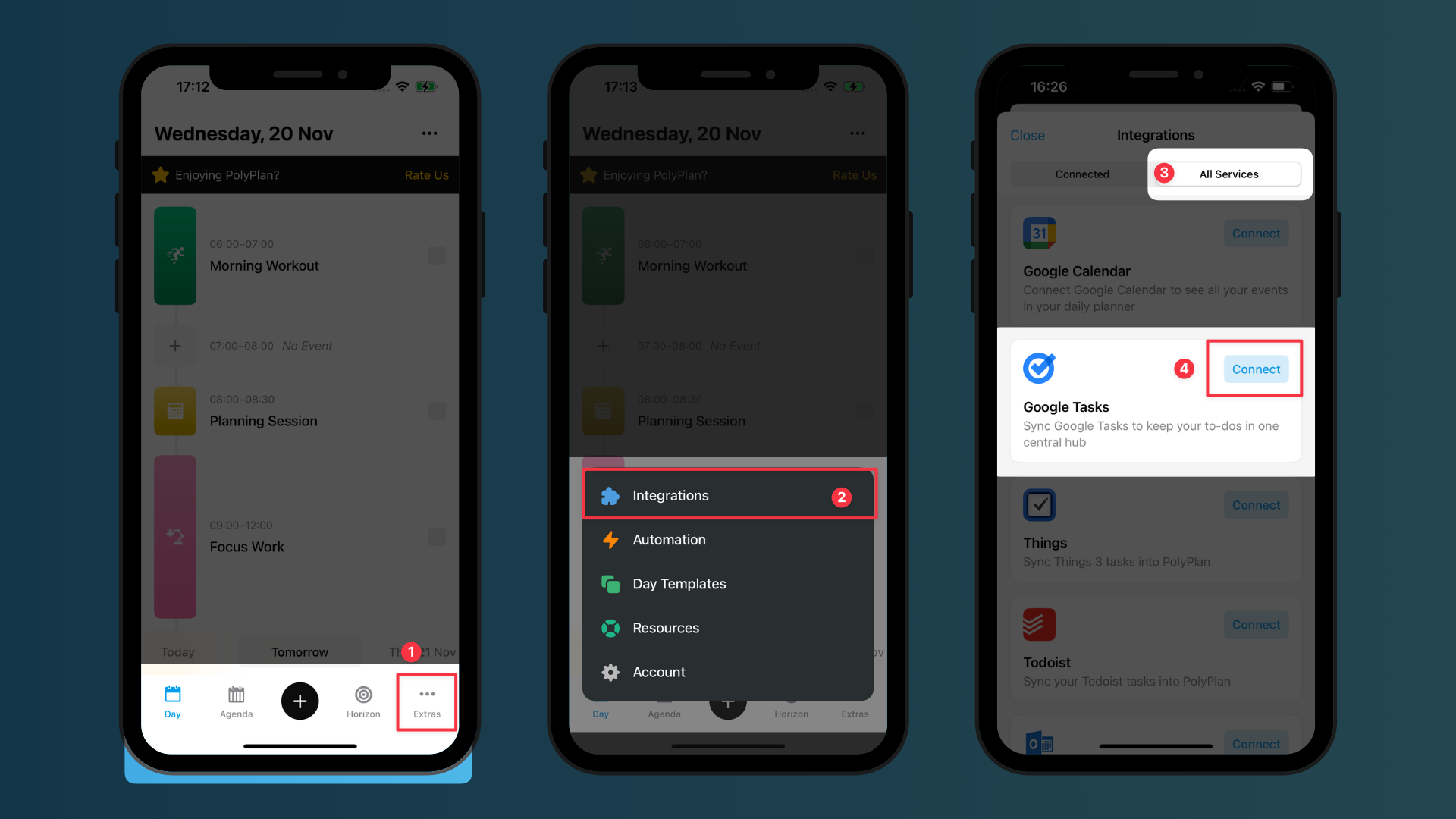
Navigate to the bottom menu bar, tap on Extras, and choose Integrations
In All Services, find Google Tasks, and tap the button Connect
Sign into your Google account and grant the required access permission
Name your integration and choose the calendars to sync, then tap on Save
Important Notes
Both personal and work accounts are supported for the integration
With one Google account, you can set up one integration. If you have several Google accounts, you can set up several integrations.
All tasks are synced regardless of their status before the integration starts.
This integration syncs the start date only, not the time
This integration syncs the repetition of the task, however, only when you complete the latest due of the task will the next due appears.
To edit or delete the synced tasks, you can:
Go directly to the Google Tasks to make the update, or
Tap the tasks within PolyPlan to open the Google Tasks to update.
All updates from Google Tasks will take a few minutes to be synced to PolyPlan.
The reminders of your task are not synced. The main point of this integration is to help you manage all things in one place while not overwhelm you with reminders from both the source app and PolyPlan, so it's still Google Task that reminds you.
Was this helpful?
Still need help? Share an idea