Manage subscription & billings (web & desktop version)
Written By Minh Thư
Last updated Almost 2 years ago
How to purchase
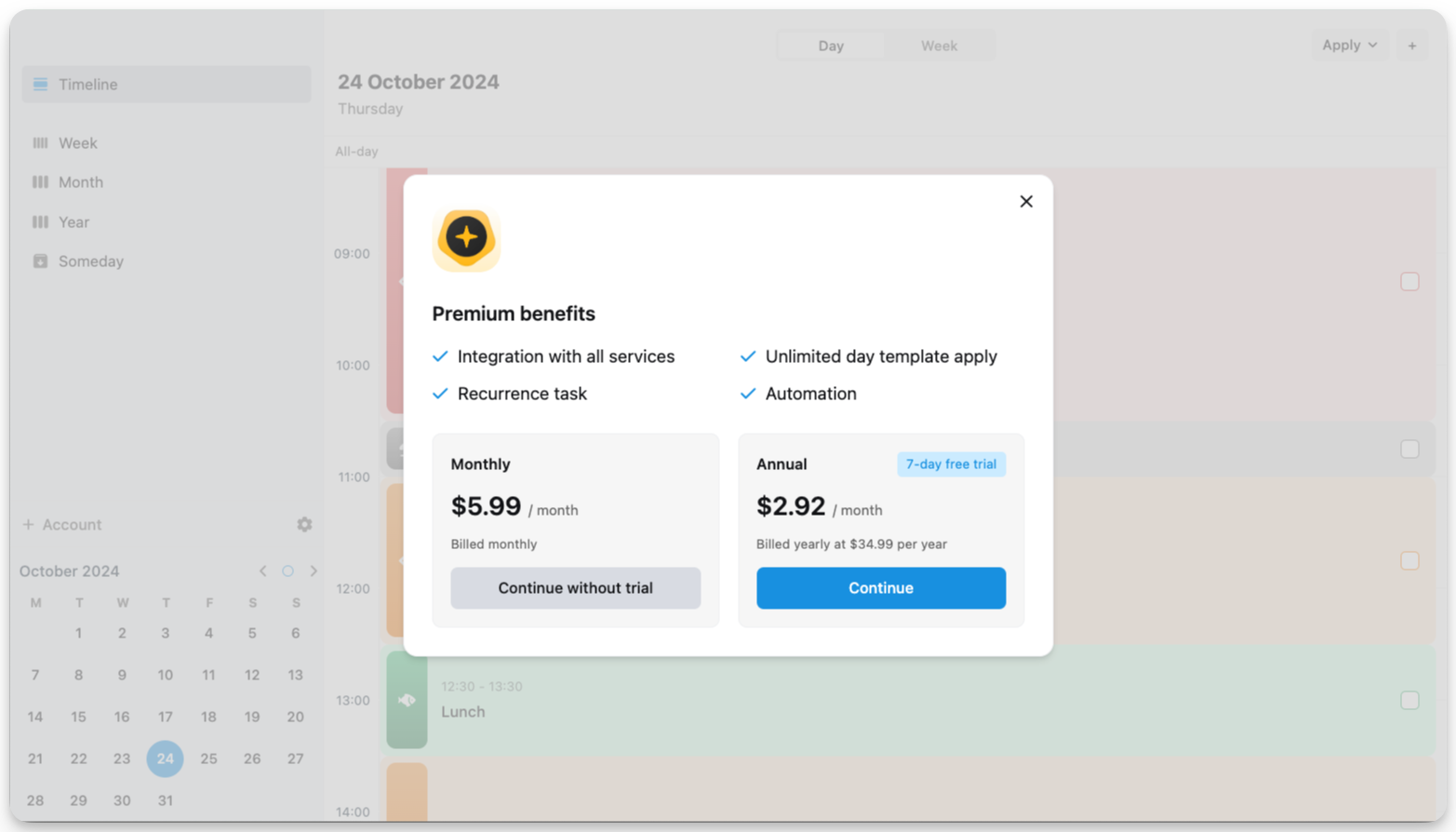
The option to purchase a subscription will be prompted to you when you click on a Premium feature. When it pops out, click View All Plans.
There are 2 plans for the subscription: monthly and annual one. For the annual plan, you can get a 7-day trial. click the button of any plan to continue.
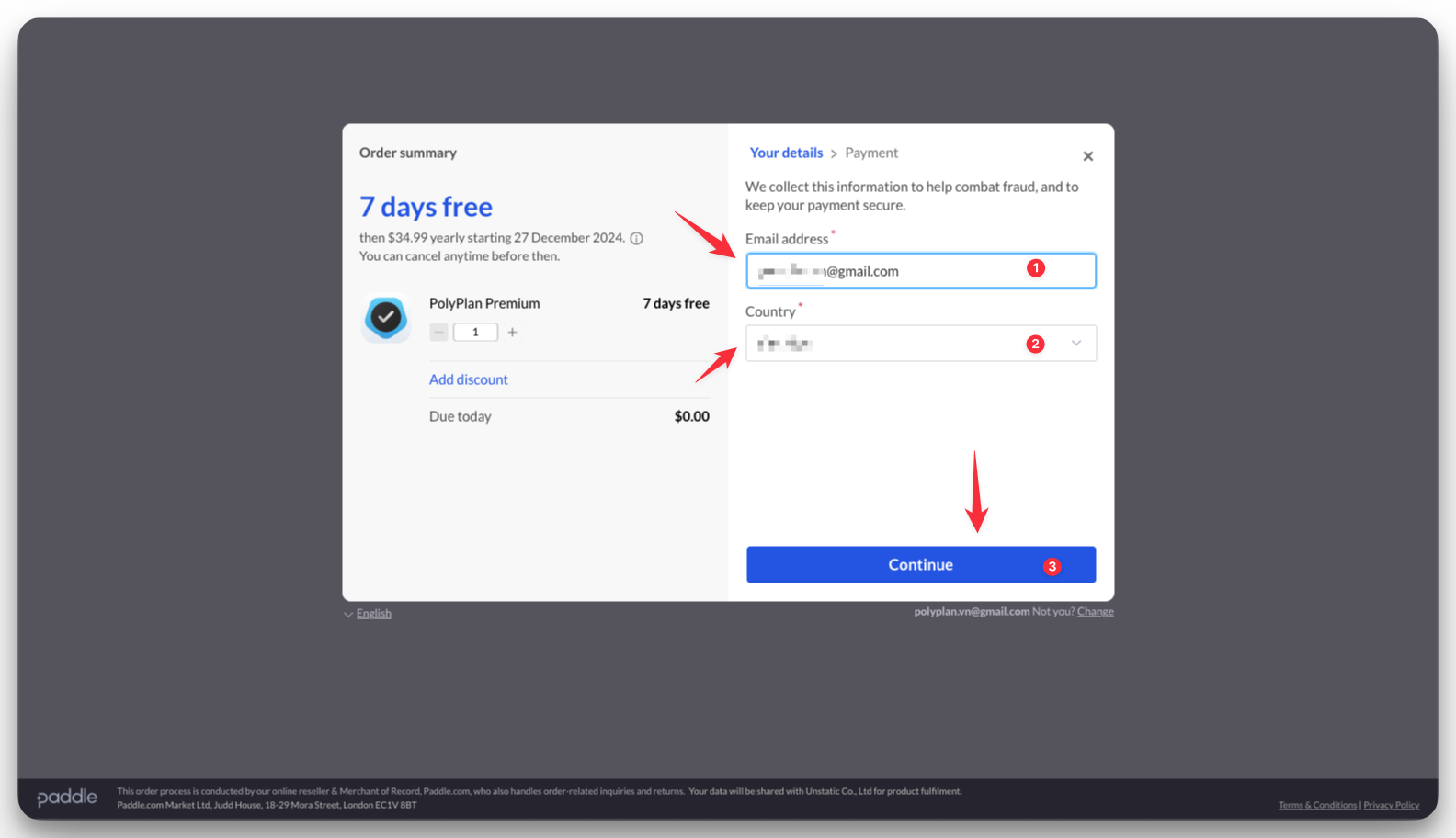
In the next step, you enter the email and choose your country. We recommend you keep the default one which is also your account email, for easier management later. Then click Continue.
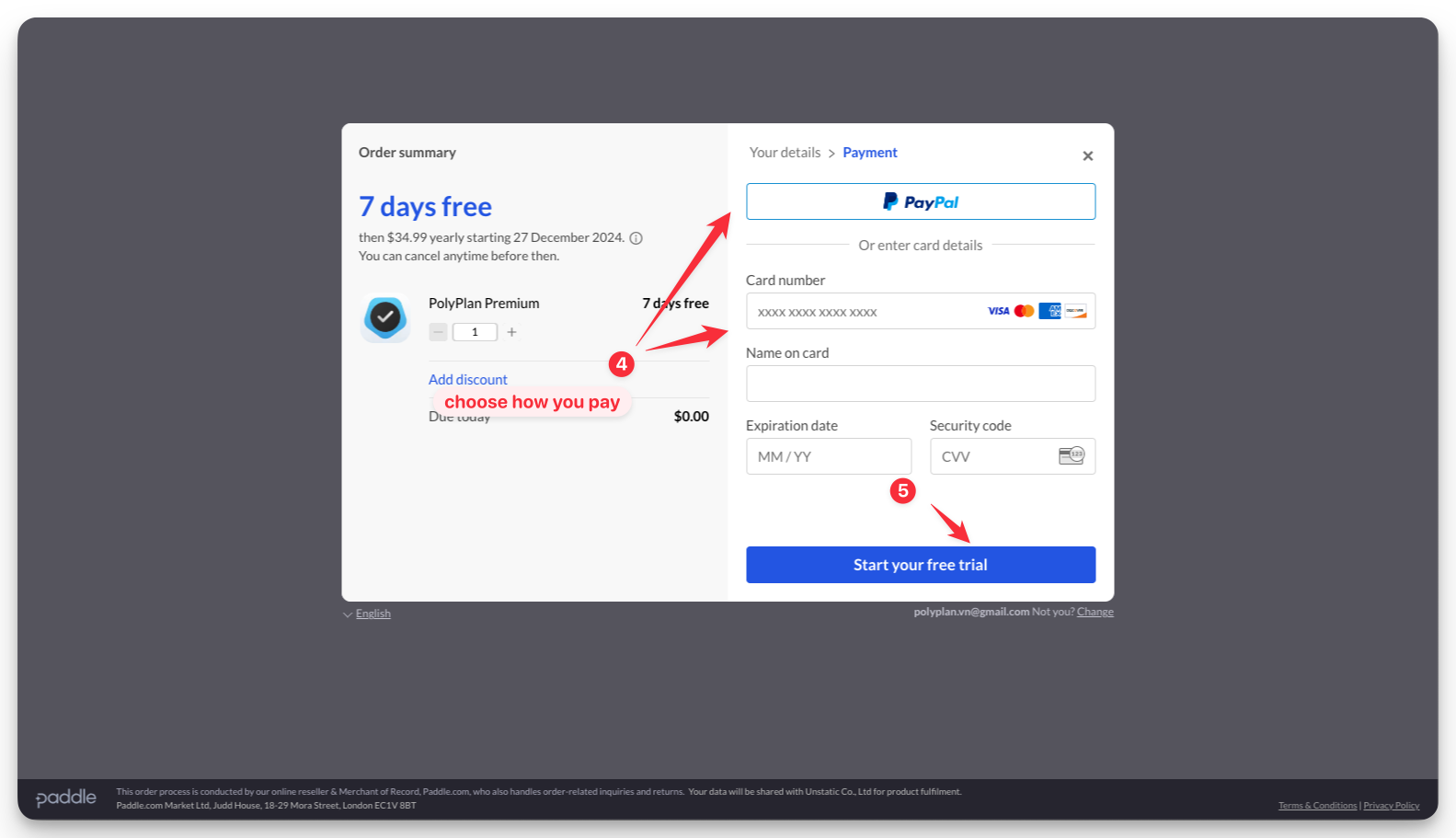
For the purchase via website & desktop app, you can pay with Paypal or your bank account. Fill in the payment information and click the button to start your Premium plan.
Manage your subscription
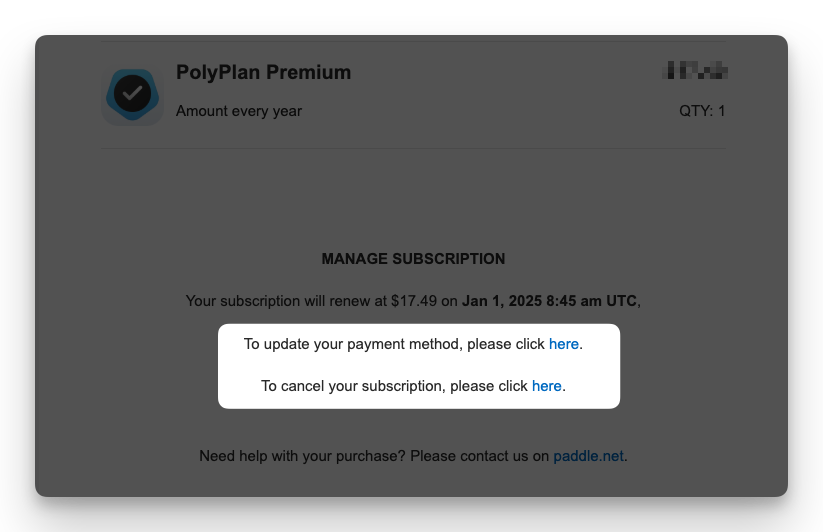
In the email to confirm your subscription and every of your payments sent by Paddle to you for the subscription started via the website app, you can see a link to manage your payment and subscription.
Note
In case you want to change your subscription from a Monthly payment to an Annual one, or vice versa, please cancel the current one first and wait until the last day of it.
After that, you can re-subscribe a new plan. Please rest assured, your data is still there during the transition.
Was this helpful?
Still need help? Share an idea