Auto Move
Auto Move feature helps you manage unfinished tasks effortlessly by automatically rescheduling them while you sleep.
Written By Minh Thư
Last updated Over 1 year ago
What is Auto Move?
Auto Move is an intelligent automation feature that handles your incomplete tasks before you start your day. Every morning, before your wake-up time, PolyPlan automatically relocates any unfinished tasks from the previous day according to your preferences.
How Auto Move Works
Timing
Auto Move runs automatically each day before your specified wake-up time
The automation ensures your schedule is organized before you begin your day
You'll wake up to a clean, updated schedule
Supported task types
Auto Move works with:
Tasks created directly in PolyPlan
Synced tasks from Todoist
Synced tasks from Google Tasks
Note: Calendar events (like those from Google Calendar) are not affected by Auto Move.
Enable Auto Move
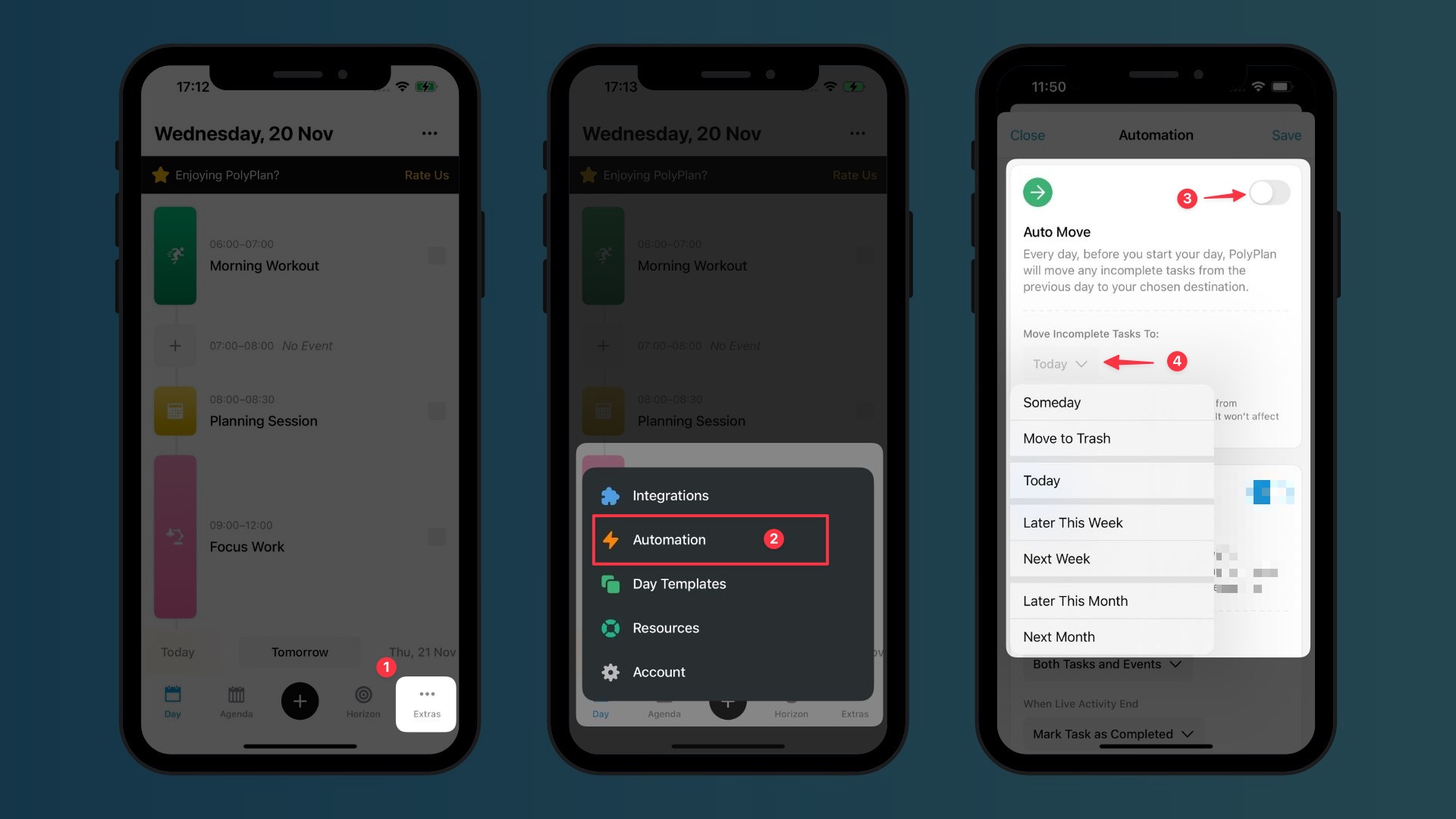
Use phone app
Go to the Extras tab
Choose Automation
Find the Auto Move section, tap on the switch to enable the automation
In Move Incomplete Tasks to, Choose the destination for the incomplete tasks
Tap Save on the top right corner to save the changes
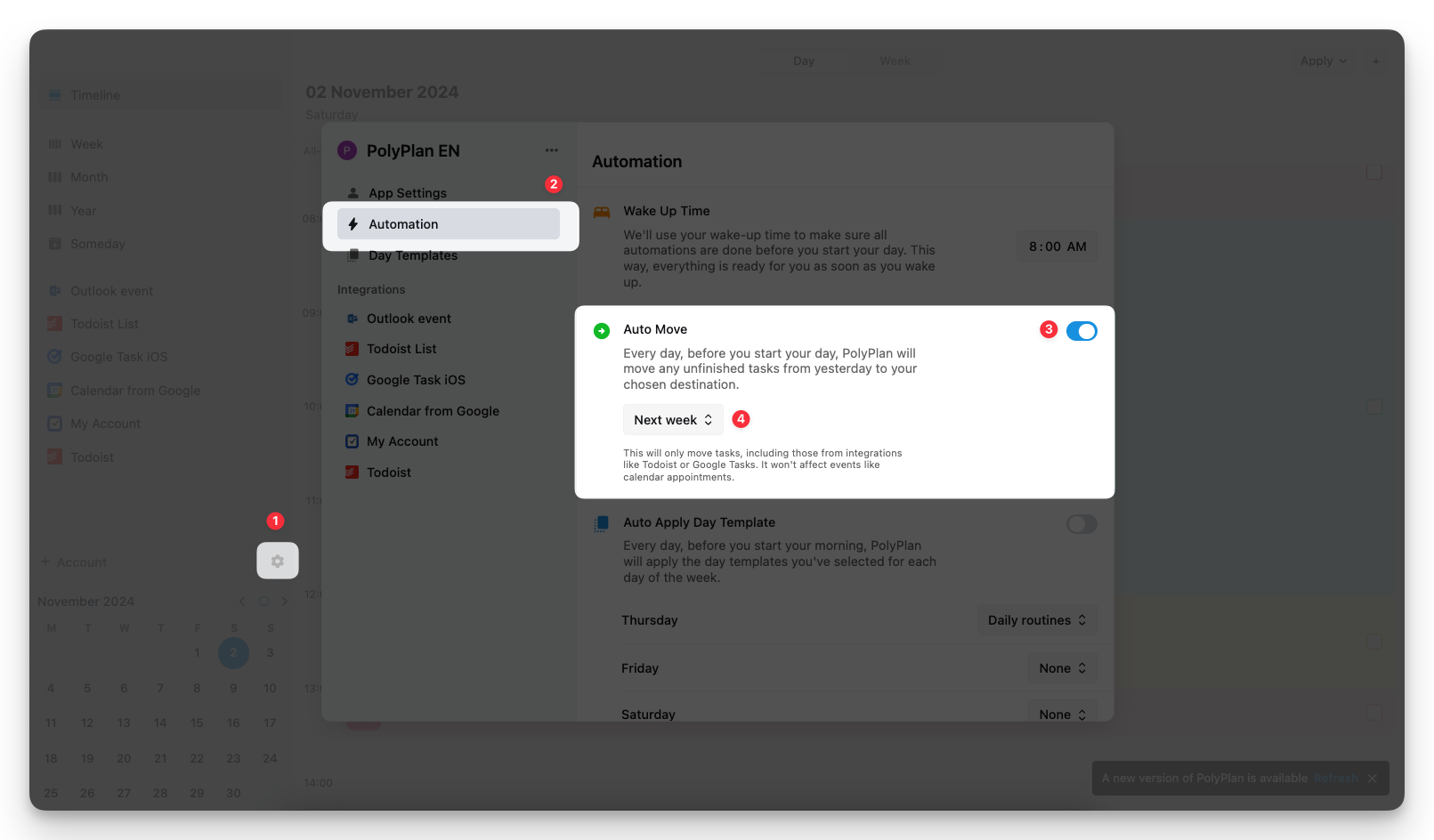
Use web & desktop app
On the left sidebar, click the Settings icon
Navigate to the Automation section
Find the Auto Move section, tap on the switch to enable the automation
Choose the destination for the incomplete tasks
Common Questions
Will Auto Move affect my recurring tasks?
Yes, recurring tasks are also affected by Auto Move.
What happens if I change my wake-up time?
Auto Move will adjust to run before your new wake-up time.
Can I have different Auto Move settings for different types of tasks?
Currently, Auto Move applies the same settings to all eligible tasks.
Will my calendar events be moved?
No, Auto Move only affects tasks and does not impact calendar events.
Was this helpful?
Still need help? Share an idea