Smart Parse: AI Planning
Smart Parse transforms your natural language descriptions into organized tasks in your timeline. This guide will help you get the most out of this AI-powered feature.
Written By Minh Thư
Last updated Over 1 year ago
How to use
On the left side bar, navigate to Tools and choose Smart Parse

Type or dictate your plans in the text field, then tap "Parse my plan"
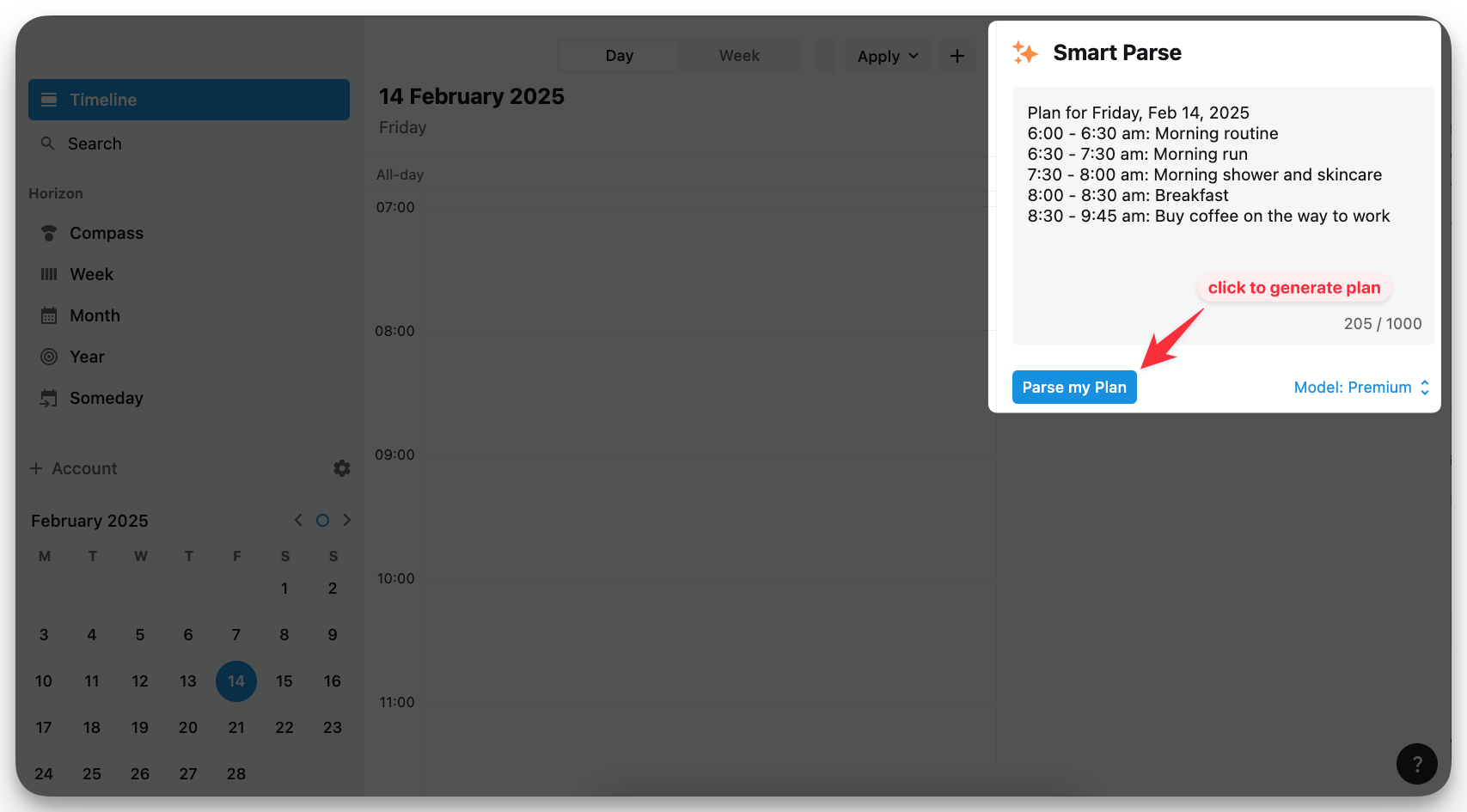
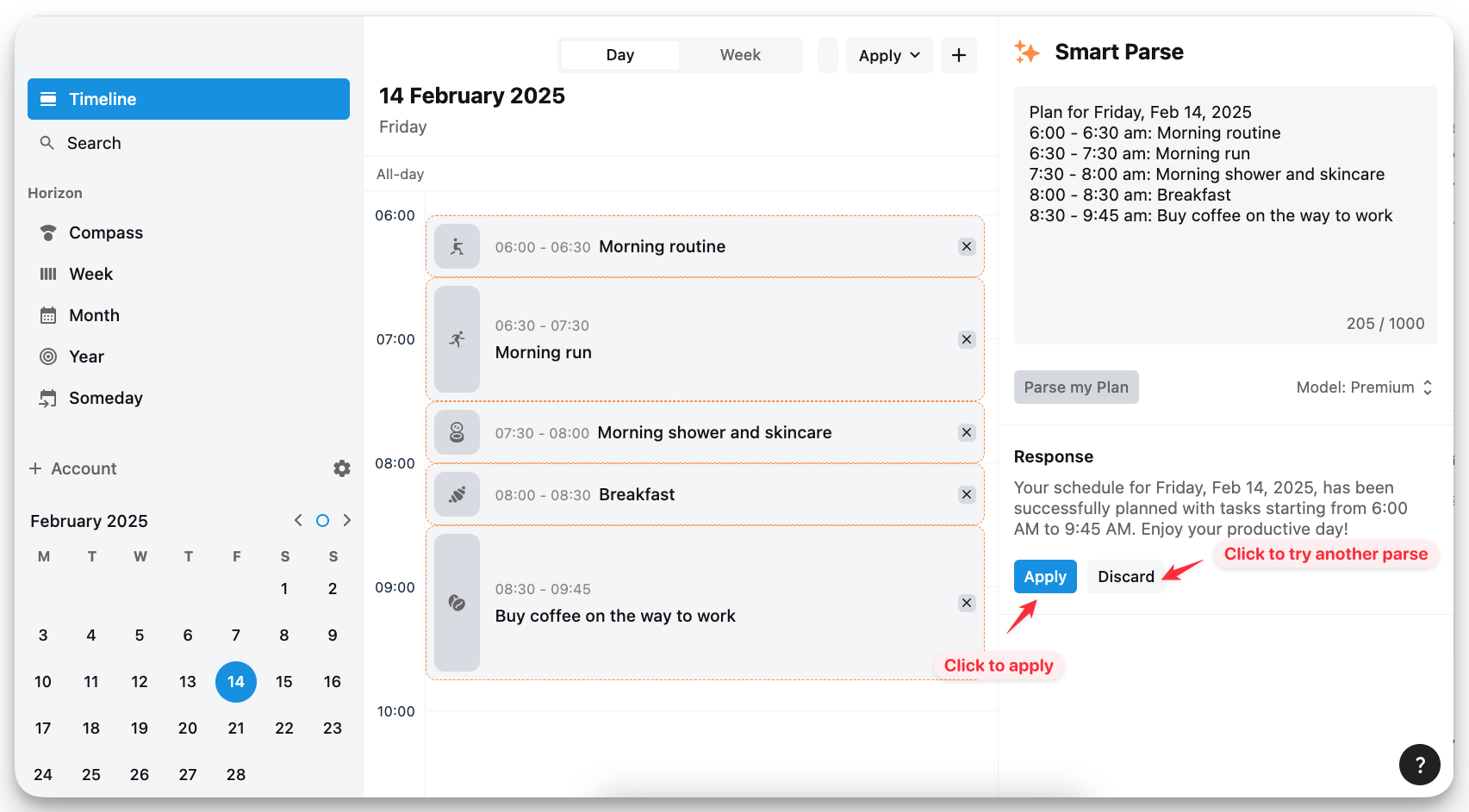
Review the AI-generated preview. If satisfied, tap "Apply" to add tasks to your timeline. If not, click Discard and edit your description then try again.
Tips to write a good plan
Specify Clear Time Ranges.
✅ 9:00 - 9:30 am: Weekly meeting with CEO
❌ Buy groceries after work
Include Dates for Future Plans
✅ March 15th: client presentation from 10 AM to 11 AM
❌ Dentist appointment next Monday
Smart Parse can create multiple tasks at once, so you can include several tasks, one day or many days within 1 parse, for convenience as well as saving your parse usage.
Important notes
Smart Parse creates individual tasks rather than recurring tasks. For example:
When you write: "Swimming from 7 AM to 8 AM every day". Smart Parse will create 10 separate swimming tasks with time from 7 AM to 8 AM and repeat as “None” for each day. It will NOT create one task with repeat settings as “Daily”.
Smart Parse cannot understand the description to duplicate an already-available plan, for example, “Apply plan of yesterday for today”.
Smart Parse does not support to create tasks that are longer than 24 hours.
Was this helpful?
Still need help? Share an idea