Account Settings (phone version)
The Account Settings section in the PolyPlan phone app allows you to personalize your experience by tailoring the app to suit your preferences.
Written By Minh Thư
Last updated Over 1 year ago
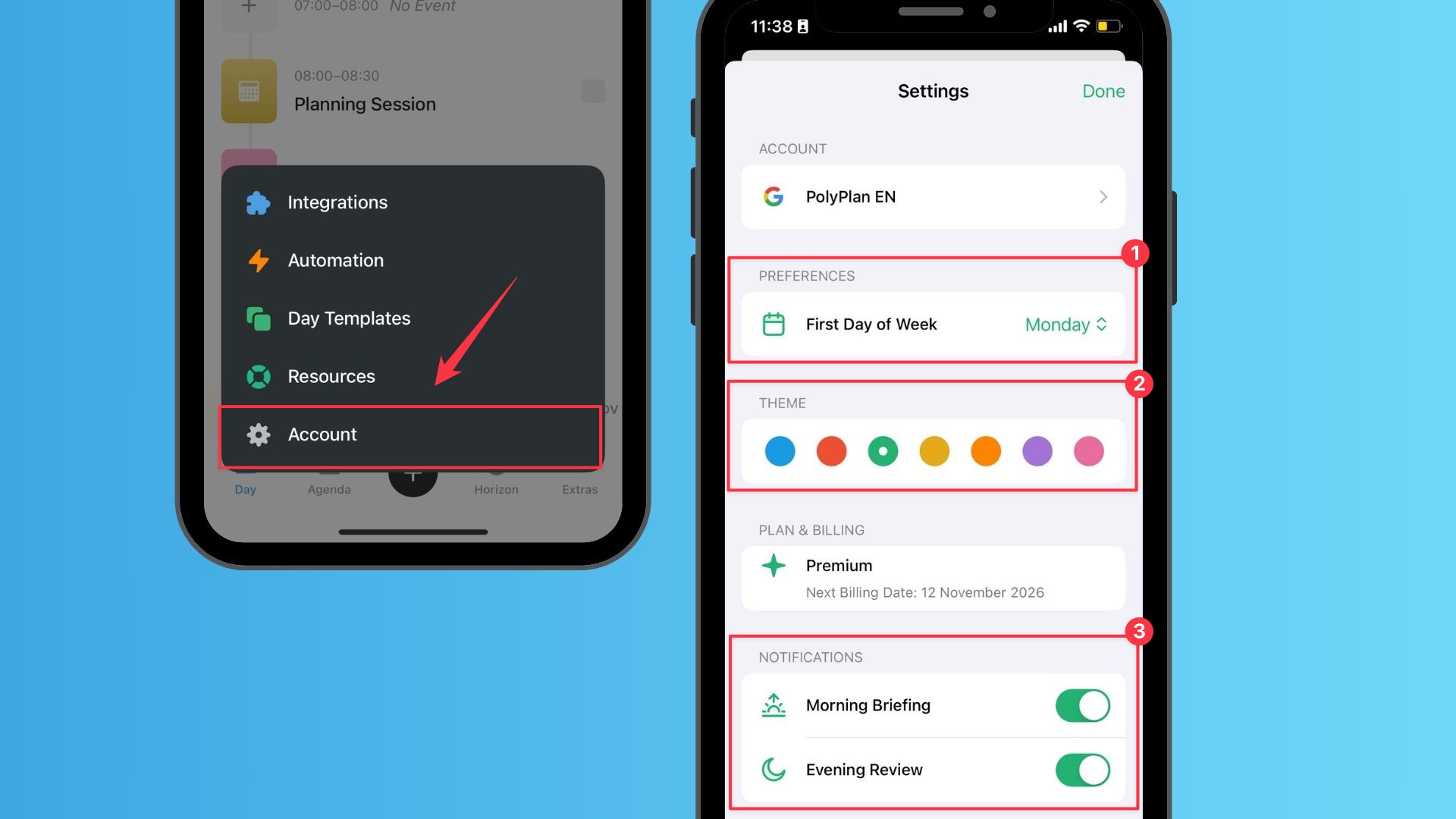
First Day of the Week
This setting lets you decide which day marks the start of your week
Your choice will affect how the app displays the date range for each week in the Week view of the Horizon tab. For example:
If you choose Sunday, the week in Horizon view will run from Sunday to Saturday.
If you choose Monday, the week will display from Monday to Sunday.
This flexibility ensures that the app aligns with your preferred weekly planning structure, whether for personal or professional use.
Theme
When selected, this color dynamically influences key interface elements throughout the application, creating a cohesive and harmonious design.
Icons: System icons will adopt subtle highlights or outlines in the chosen accent color
Selection Highlights: Text selectionsand selected elements will use the accent color's background
Interactive Buttons: Primary and actionable buttons will use the accent color for their background or border
Active State Indicators: Toggles, switches, and active state indicators will reflect the selected accent color
Notifications
Stay on top of your plans and tasks with the Notifications feature. PolyPlan provides two types of daily briefings to keep you informed and organized:
Morning Briefing
With the Morning Briefing, you can start your day with a clear picture of what needs to be accomplished.
Delivered based on the Wake-up time you set in the app.
Provides a concise overview of your daily plan, including tasks and events you’ve scheduled for the day.
Evening Briefing
The Evening Briefing ensures that you can wrap up your day with insights into what you achieved and what might need attention next.
Summarizes your day by reporting on:
What you’ve accomplished.
Tasks or items that are still pending.
Helps you reflect on your progress and prepare for the following day.
Was this helpful?
Still need help? Share an idea